Starting a GitLab Runner using the veHaaS API
This guide will show you how to start a GitLab Runner using the veHaaS service. Runners created with veHaaS can be used to run CI/CD pipelines for GitLab projects.
Create a Technical User
To start a GitLab Runner you need to create an API token for a technical user. This token will be used to reserve the assembly and start the GitLab Runner.
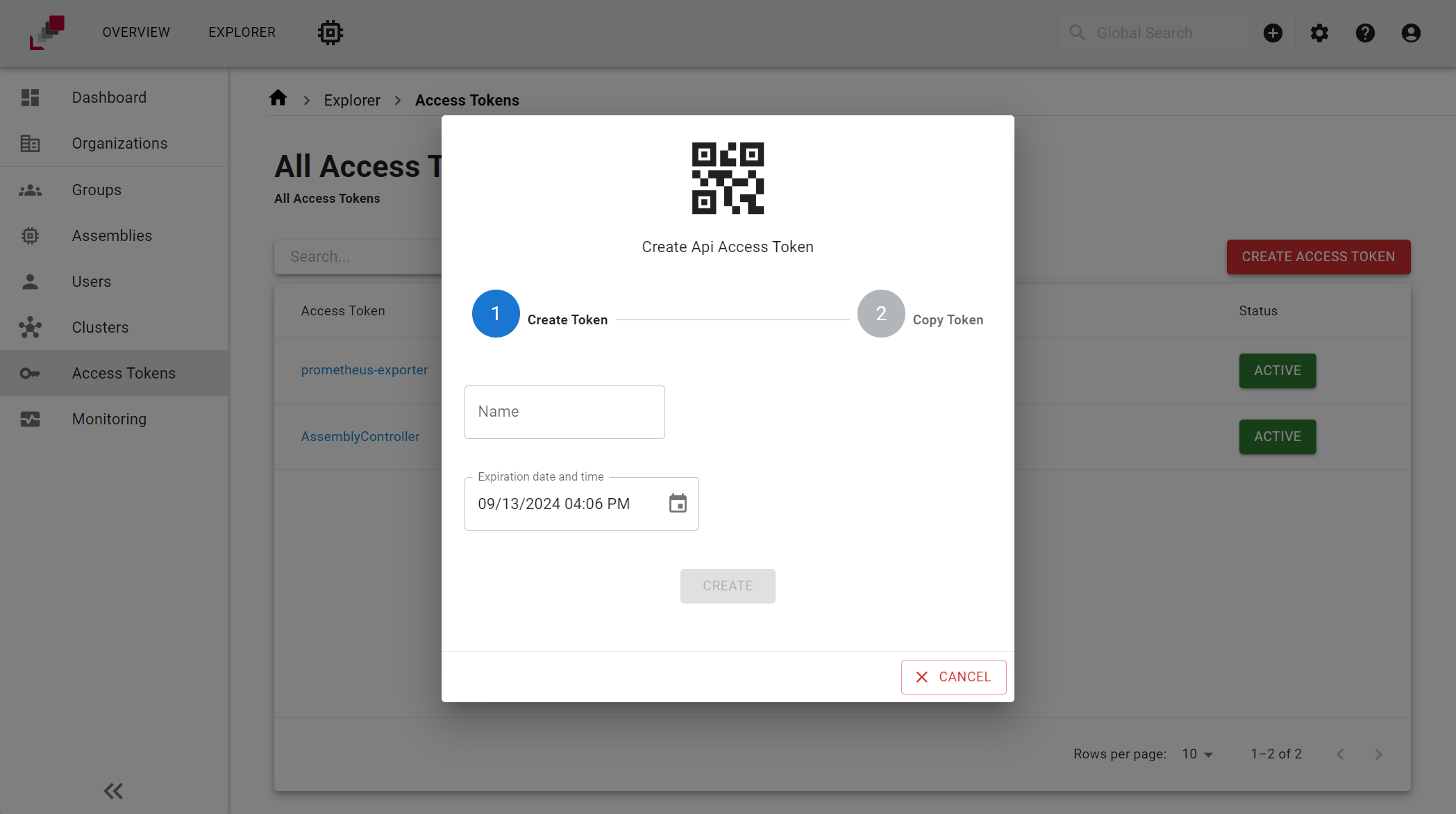
To do that you need to go to the Explorer page and click on the Access Tokens tab in the context of the organization you want to use the GitLab Runner in. Then click on the Create Access Token button and fill in the form with the following information:
(The Name will be shown in the calender, when booking the assembly.)
Pairing the GitLab Runner
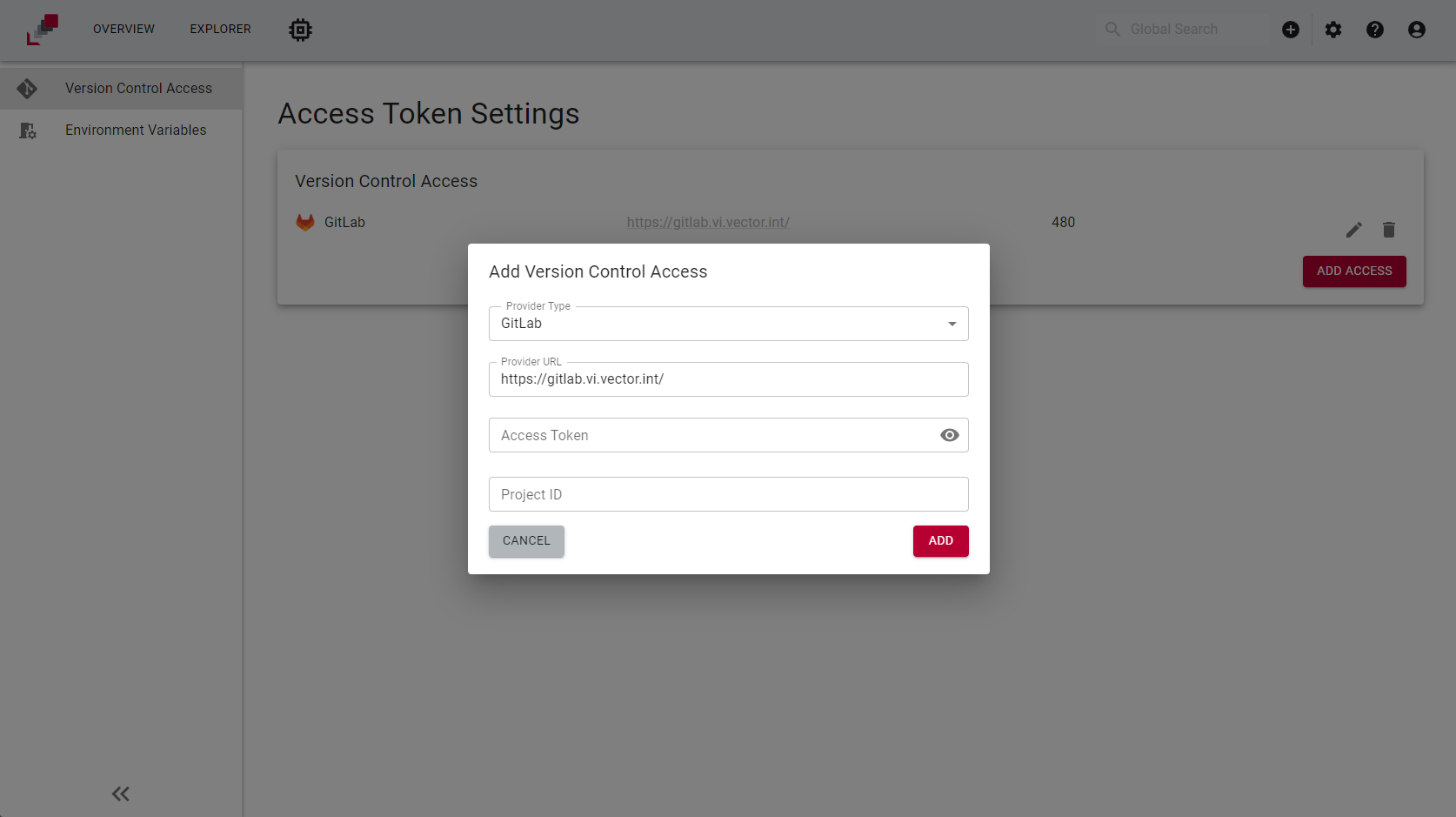
After you have created the technical user click on the access token you just created from the access token table. There click on the Version Control Access and click on the Add Access button.
Here you will be prompted to enter the GitLab URL, the GitLab token (see how to create the GitLab token) and the GitLab project ID (see how to copy the project ID).
Depending on the registration scope for the GitLab Runners, you need to use a specific access token:
- Project level: Use a
Maintainertoken withapiscope. - Group level: Use an
Ownertoken withapiscope.
Requesting a GitLab Runner
Deprecation notice
The POST /api/v2.0/jobs endpoint used in this guide is deprecated as of v1.20.0. It remains functional but will be removed in a future version. A replacement workflow will be documented when the v3 API reaches general availability.
You now can request a GitLab runner by making an HTTP POST request to the following endpoint:
With the following body:
{
  "put_in_queue": true,
  "duration": "P0DT0H10M0.000000S",
  "request_profile": {
    "assembly_ref": "ASSEMBLY-1"
  },
  "gitlab_runner_settings": {
    "provider_url": "https://gitlab.example.com/"
  }
}
Getting the GitLab Runner String Tag
If you sent the HTTP request successfully you will receive a response object with a job_id. You can use this job_id to get information about the state of your request, by making an HTTP GET request to the following endpoint:
If the job is finished you will receive a response object with the gitlab_runner_tag. This string tag can be used for the time of the assembly session to trigger a child pipeline on the booked assembly.
Info
The main difference between a standard GitLab Runner and a veHaaS GitLab Runner is that the latter is only running for the extension of your assembly session and it is then deleted.