Manage Assembly Access
There are several ways to make an assembly available to other users, and it strongly depends on your use case. You can specify any organizations, groups or other maintainers when you upload the assembly profile, but it is always possible to add to or revoke the decisions made in this process. To change access navigate to the assembly settings. (How to navigate through vHaaS)
For what each of these options means — group assignment, organization assignment, and the Public in organization toggle — see Organization and Visibility Structure.
Assembly Settings
In the assembly settings you can see the current access configuration under Access and roles, where all maintainers of the assembly are listed.
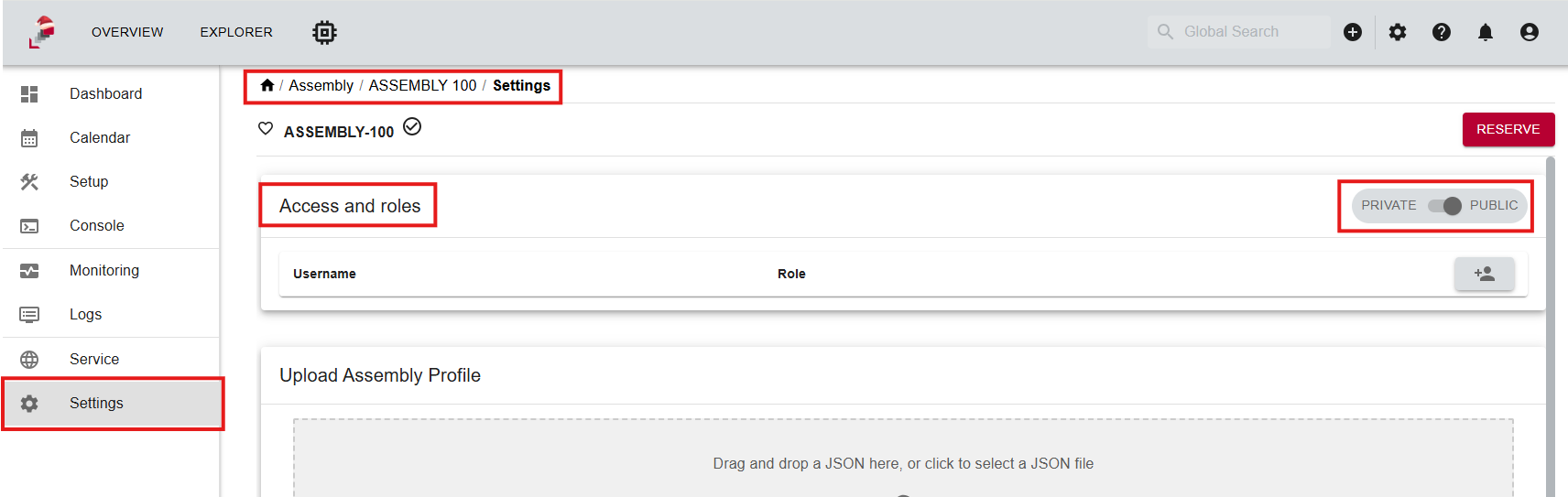
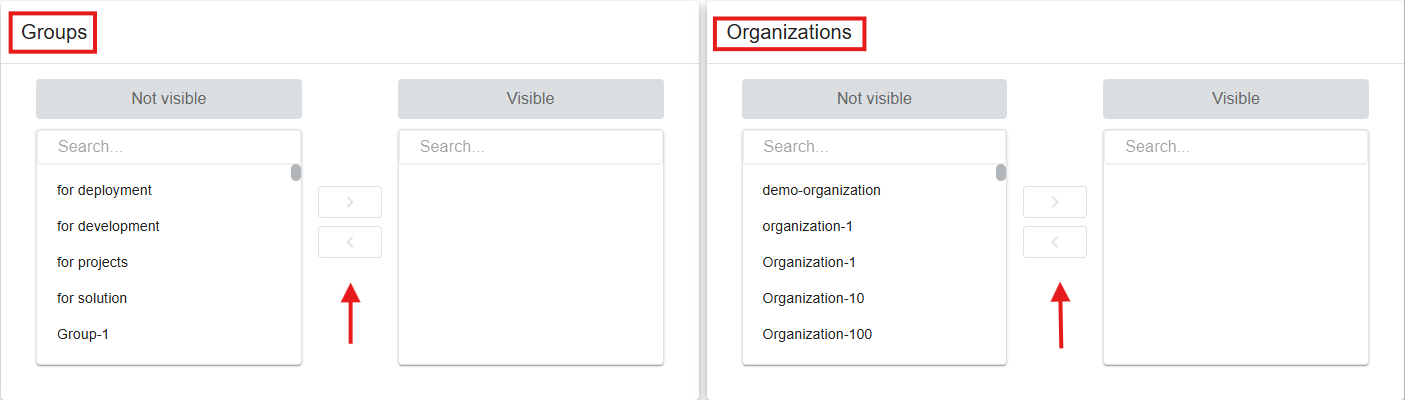
If you scroll down you will find the settings to give groups access to the assembly. You can also enable Public in Organization to make the assembly visible to all members of its organization.
Add Assembly to Group
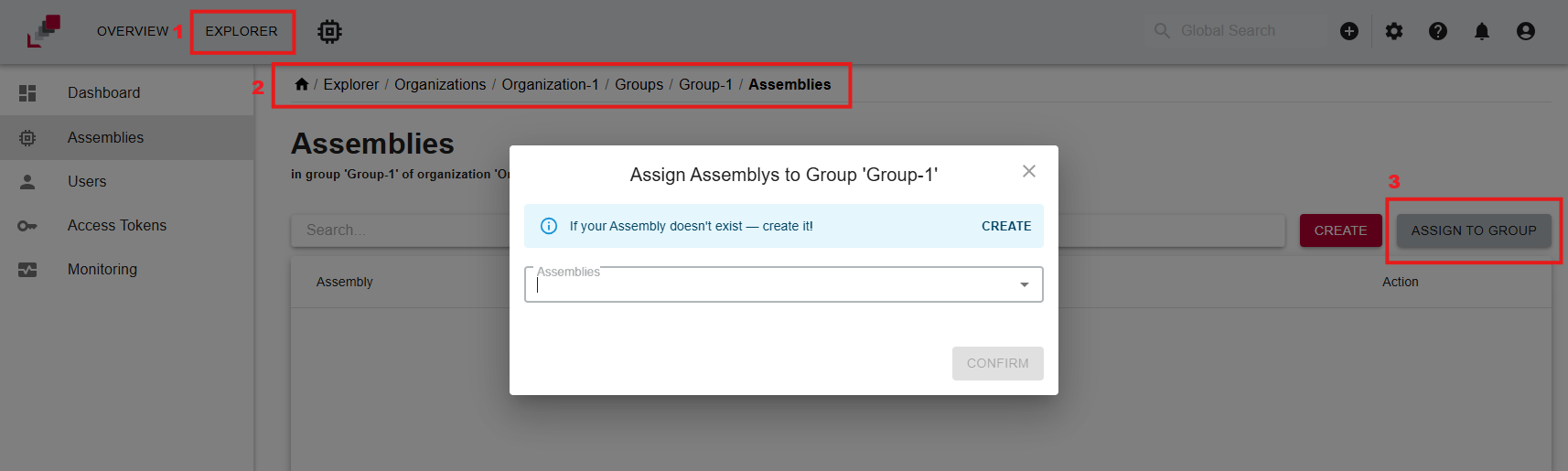
To add an assembly to your group you first navigate to the displayed page.
-
Go to the explorer
-
Navigate to the desired group
-
Go to the organization to which your group belongs
- Select the group in the Groups tab
-
Go to the Assemblies tab
-
Click Add assembly to group
-
You can now search and select from the list of assemblies to which you have access