Assembly Manager
To control (switch devices on/off) on an Assembly during C# test execution in CANoe, use the AssemblyManager library — it handles the REST and access details so the tester doesn't have to. Communication happens via HTTPS, keeping the vHaaS Web UI's device status in sync.
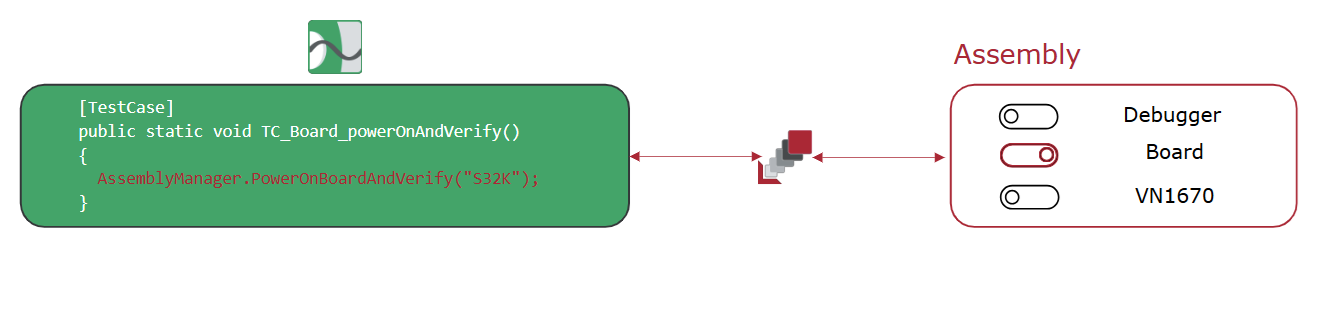
Integration
Prerequisites
You need:
- The PES vHaaS Assembly Manager package — latest release from the vHaaS Artifactory repository
- A .NET test environment (vTESTstudio or Visual Studio)
- A vHaaS Access Token (
VHAAS_TOKEN) with control access rights — a shared scoped Access Token also works
Steps
1. Add the Assembly Manager to your Testsuite
- Place the downloaded files into your Testsuite so they are available in your test case implementation.
2. Enable the HTTP service in CANoe
- Enable it via
CANoe Options → Extensions → Connectivity → Enable HTTP Service.
3. Load the required VCDL files
- Add
HTTPAPI.vcdlandSerialization.vcdlto your CANoe configuration viaSimulation → Communication Setup → Data Source → Load Data Source.
4. Configure Assembly_User.cs
- Make the required parameter adjustments in
Assembly_User.cs.
5. Set your vHaaS Access Token
- Add your
VHAAS_TOKENto get control access rights during test execution. -
Warning
Without a valid token, the AssemblyManager cannot control any Assembly devices during test execution.
6. Reference the Assembly description file
- Optional, but recommended: download the Assembly's JSON description file (
vHaaS Assembly → Assembly Setup → Download) and reference it viaASSEMBLY_DESCRIPTION_FILE_PATH. Recommended location: next toHTTPAPI.vcdl.
Public Interface (API)
The AssemblyManager exposes methods to power devices on and off, cycle boards, switch
multiplexer channels, and query Assembly information during test execution. For the full list of
methods and a usage example, see the
Assembly Manager API reference.