Book an Assembly
You can reserve an assembly immediately or for a future time slot. The available booking options depend on the current assembly status.
Assembly Statuses
Each assembly has a status that determines how you can book it. The status is shown for each assembly in the overview.
| Status | Description |
|---|---|
 available |
You can instantly reserve and book the assembly from the overview or assembly page. |
 in use |
Reserve the assembly in a free time slot using the calendar booking, or request a session transfer from the current user. |
 on stock |
The assembly is in hardware storage but not connected to a cluster. Open a support request to request a connection. |
Reserve an Assembly
You can reserve an assembly directly from the overview or from the assembly page.

Prerequisites
- You have access to veHaaS.
- You are on the assembly overview page or on the assembly details page.
- The assembly is currently available, or a future time slot is free.
Steps
- Open the assembly overview or the assembly page.
- Find the assembly that you want to reserve.
- To book
- immediately, click Reserve / Click Now to fill in the current time automatically.
- for a future time slot, click the calendar icon next to Reserve.
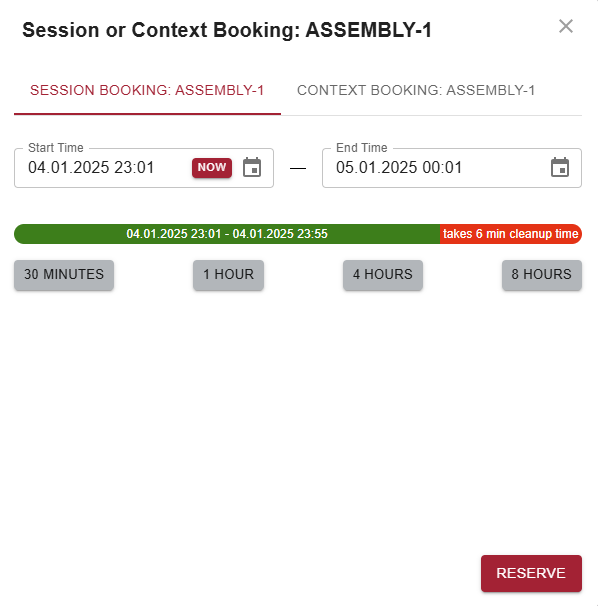
- Select one of the suggested durations or enter a custom End Time.
- Confirm the reservation.
Result
The assembly is reserved for the selected time slot.
Next Steps
Continue with How to work on a Virtual Machine.